PERSONAL FINANCE / INDEPENDENT CONCEPT

MONO

A clearer picture of everyday money.

A mobile product concept connecting balances, spending patterns, budgets and savings goals through one considered experience.

ScopeApp architecture, UI design,
prototype and visual identity
Deliverable15 editable screens
and a click-through prototype
Project typeIndependent concept
Illustrative financial data

MONO

A calmer way to understand everyday money.
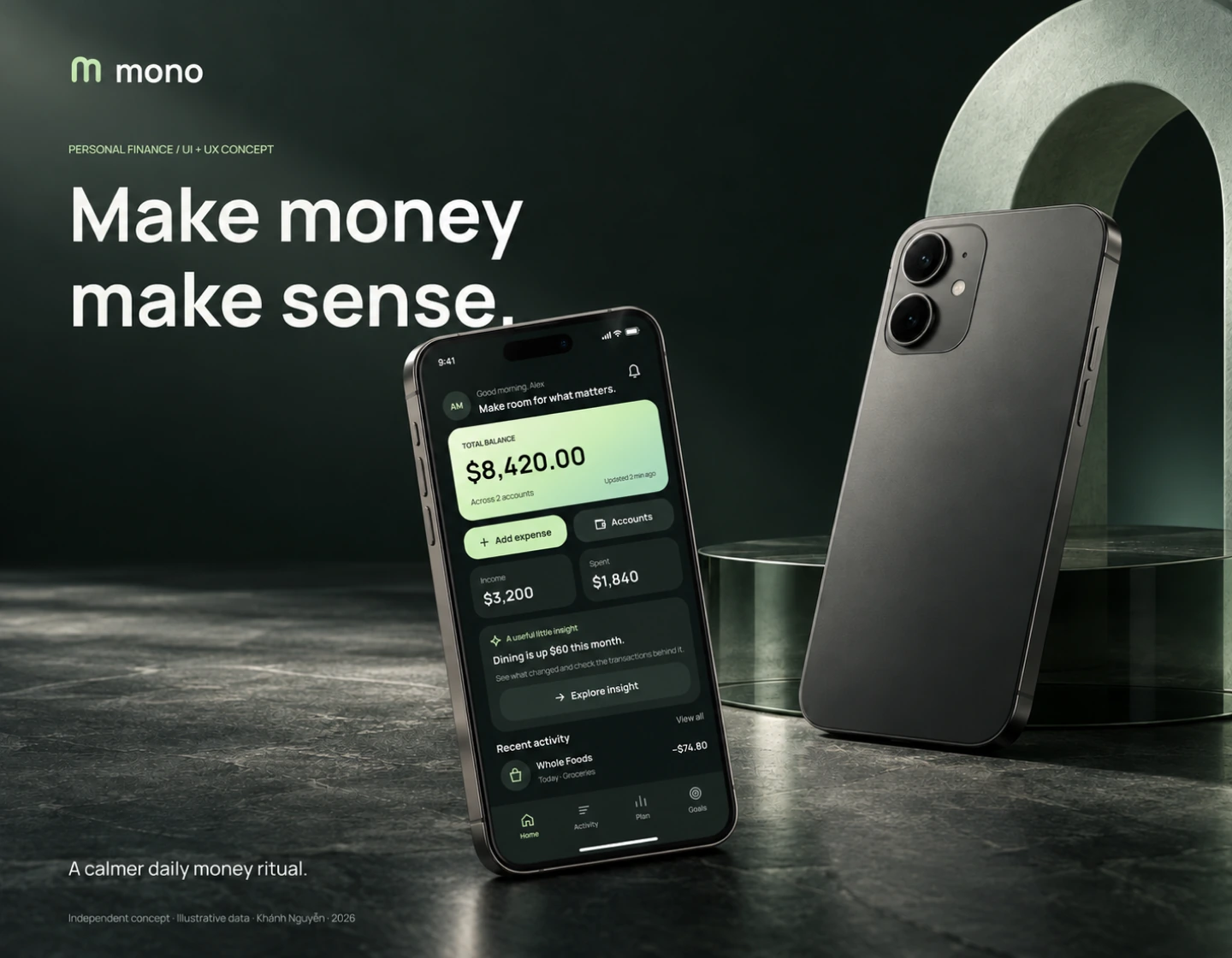
MONO personal finance concept, with the overview UI displayed on an iPhone in an evergreen stone and glass setting.
View full-size — MONO

Project overview

One considered experience for balances, spending, monthly budgets and savings goals. The design focuses on clarity, control and context.
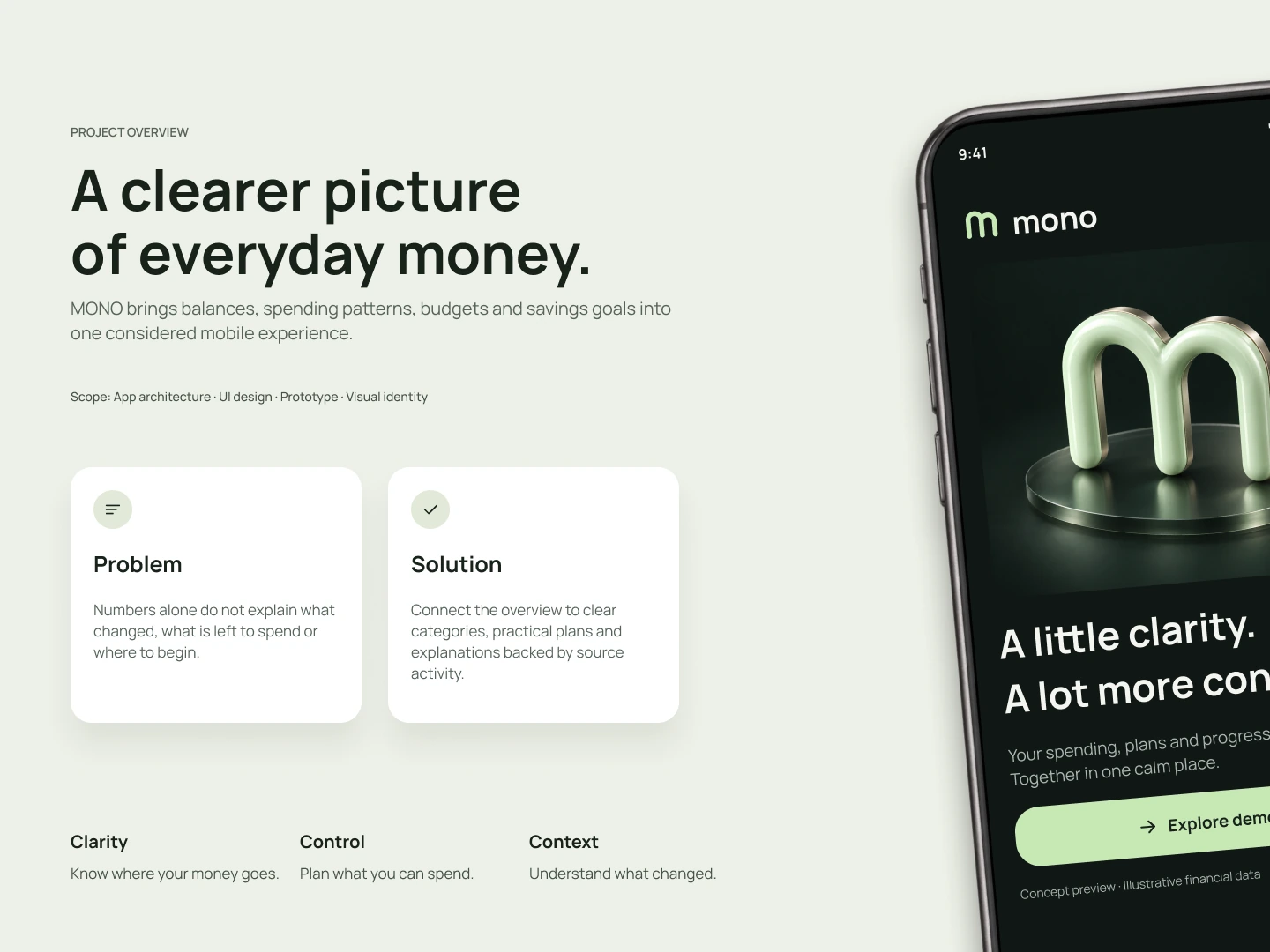
MONO project overview with a problem statement, proposed solution and the principles Know where your money goes, Plan what you can spend and Understand what changed.
View full-size — Project overview

App architecture

A focused overview connects primary navigation with contextual insights and profile settings.
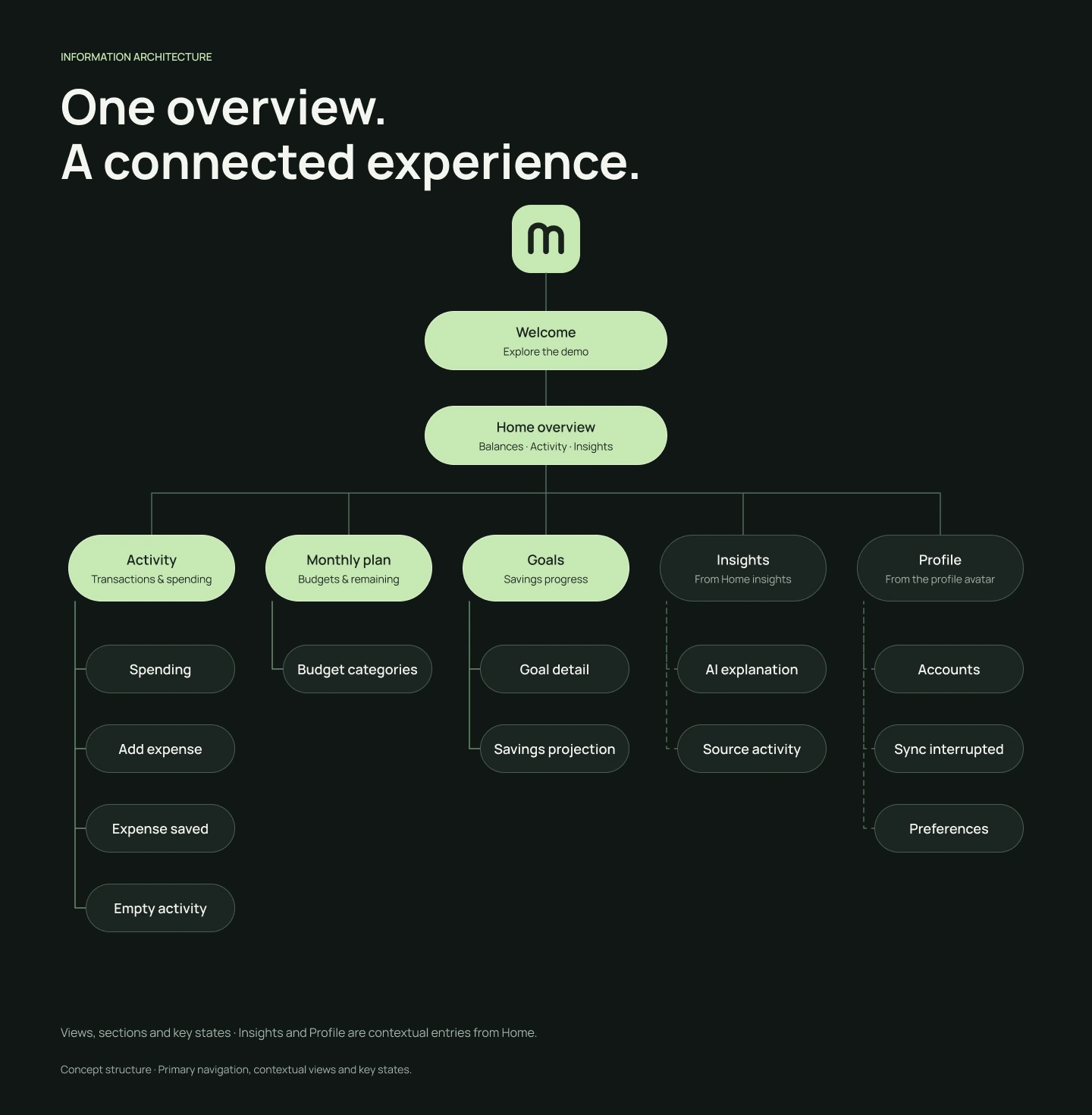
Information architecture from Welcome and Home to Activity, Monthly Plan, Goals, Insights and Profile, including empty and sync error states.
View full-size — App architecture

Designed for everyday moments

A quick check-in helps people see their financial picture in context.
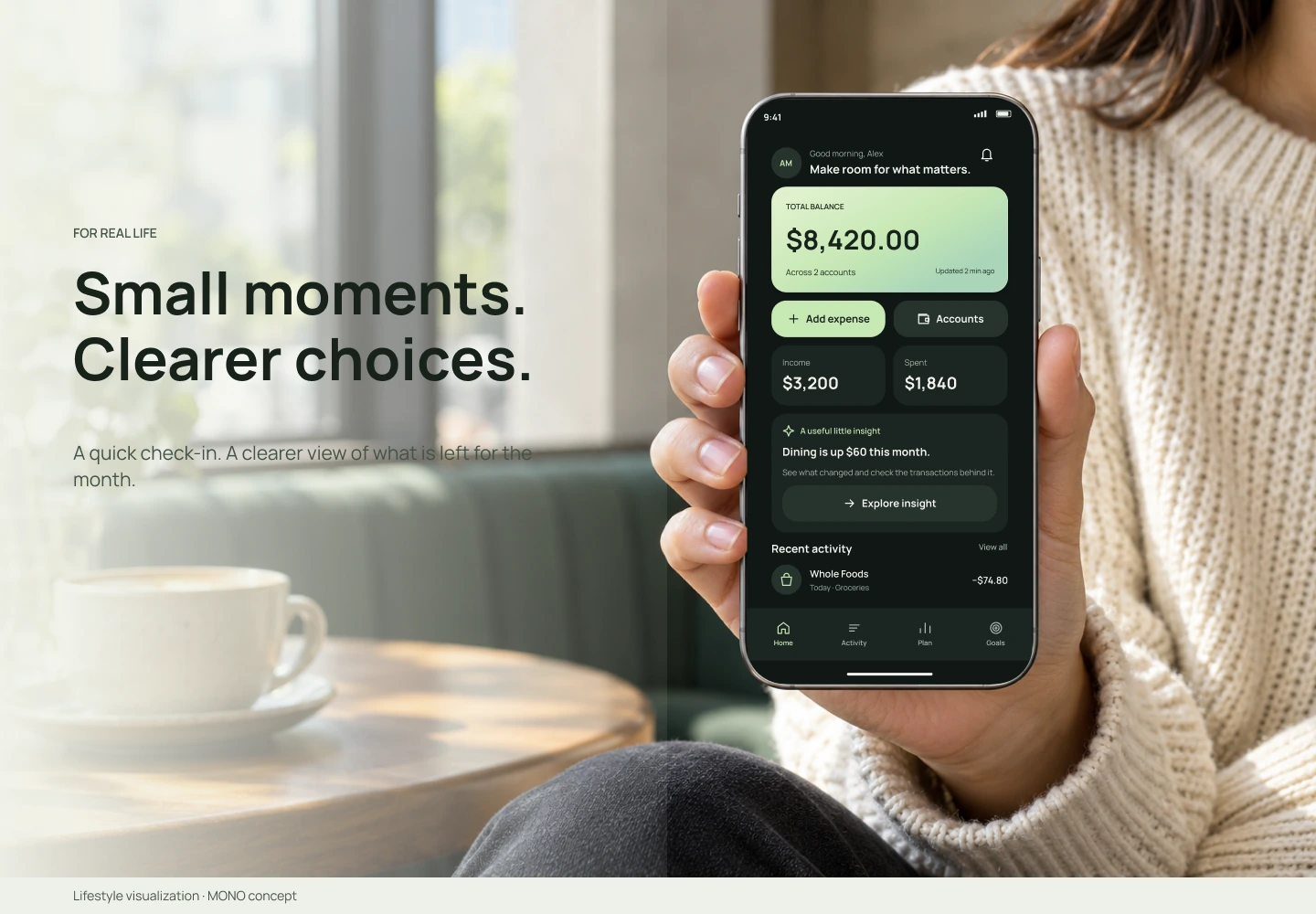
Concept lifestyle visualization of a person holding a phone displaying the MONO overview.
View full-size — Designed for everyday moments

A consistent identity

The twin-arch MONO mark, evergreen palette and soft mint accents carry across the interface and concept brand applications.
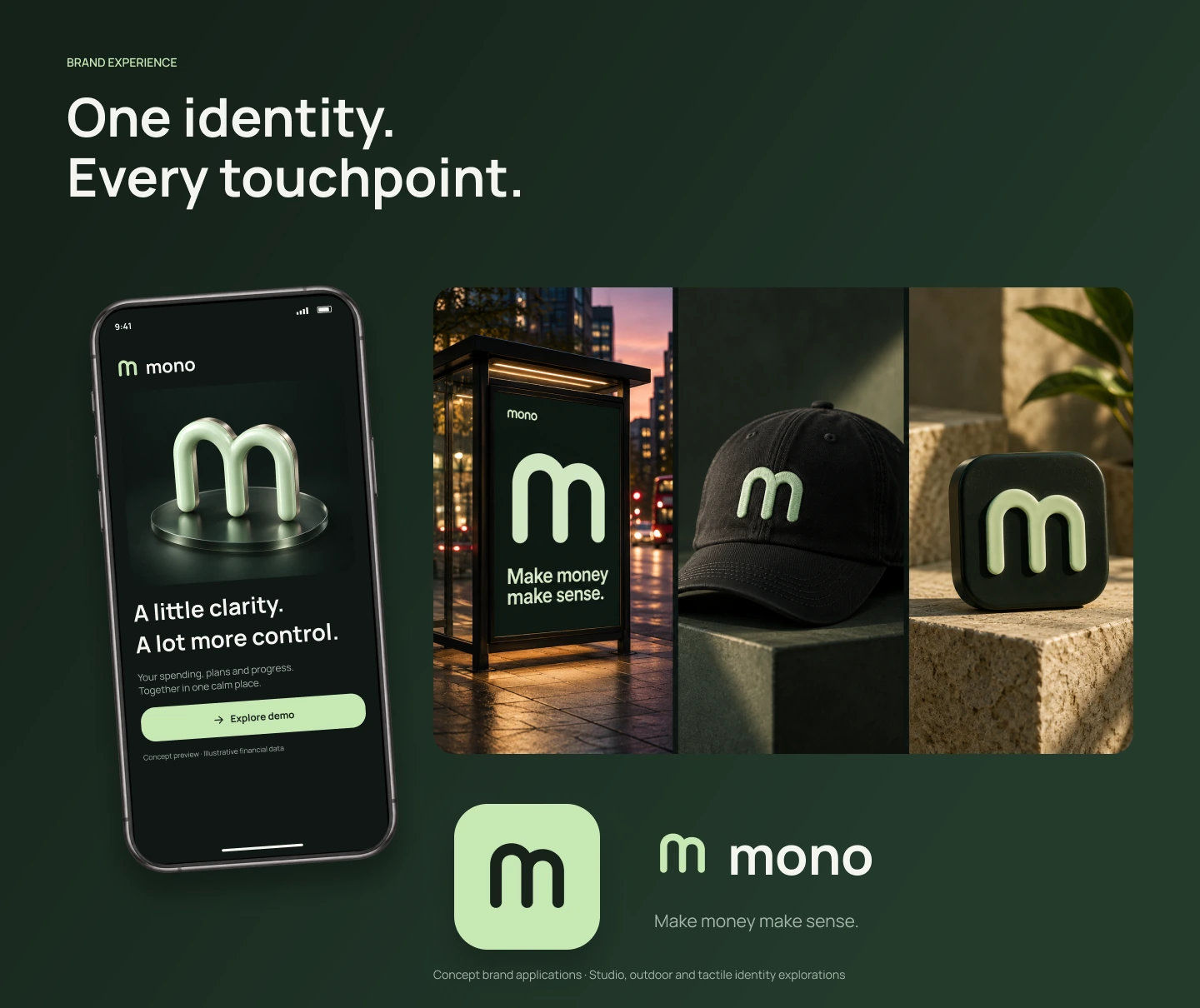
MONO Welcome screen, outdoor poster, embroidered cap, physical app icon and vector wordmark.
View full-size — A consistent identity

From welcome to overview

A distinctive introduction leads into one clear view of balances, activity and useful insights.
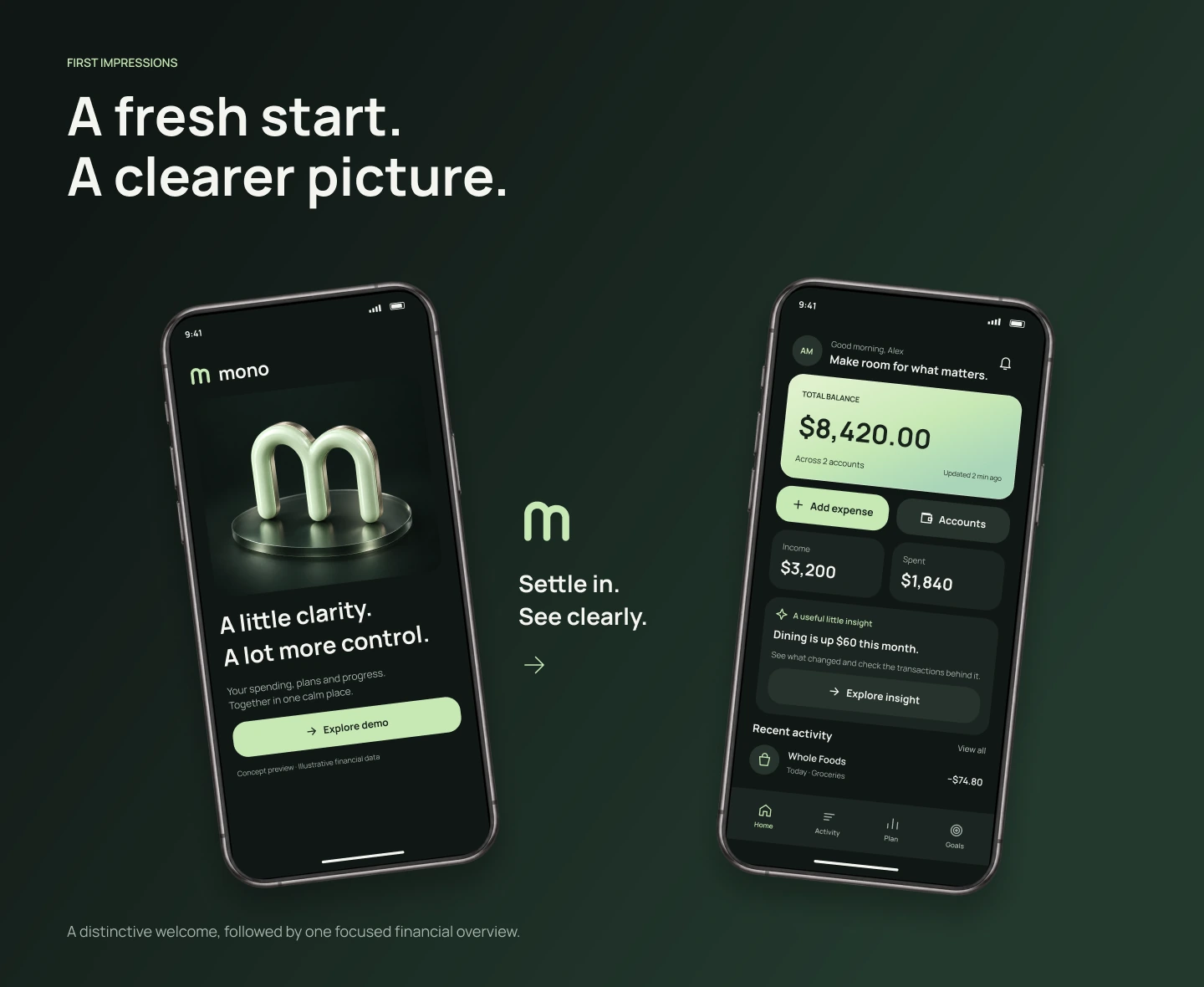
MONO Welcome and Home screens with the twin-arch logo, total balance and recent activity.
View full-size — From welcome to overview

Understand the pattern

A single total and a proportional category breakdown connect the summary to the underlying detail.
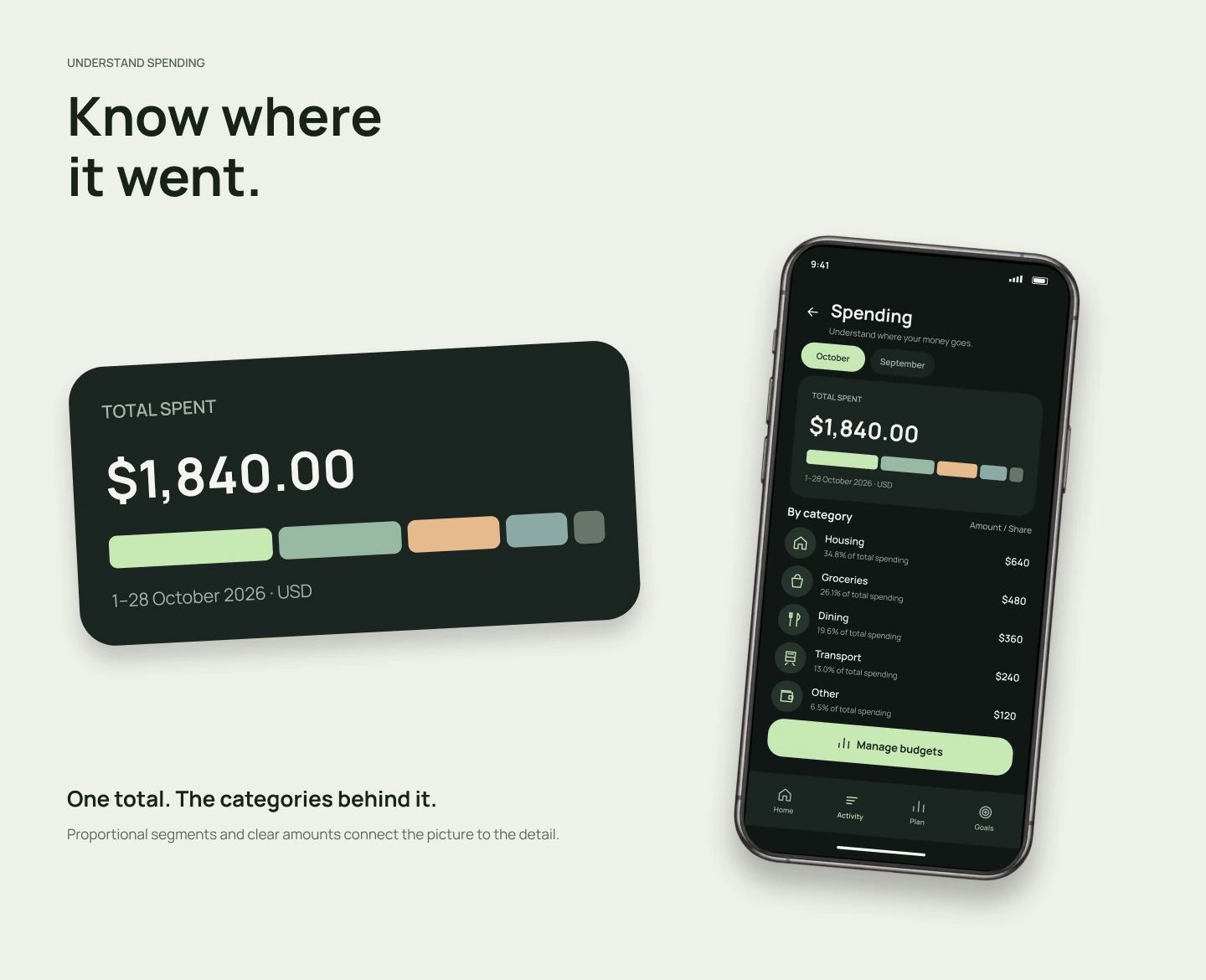
Spending overview totaling $1,840, with housing, groceries, dining, transport and other categories.
View full-size — Understand the pattern

Make room for a plan

Remaining amounts and category limits make the monthly plan easier to interpret.
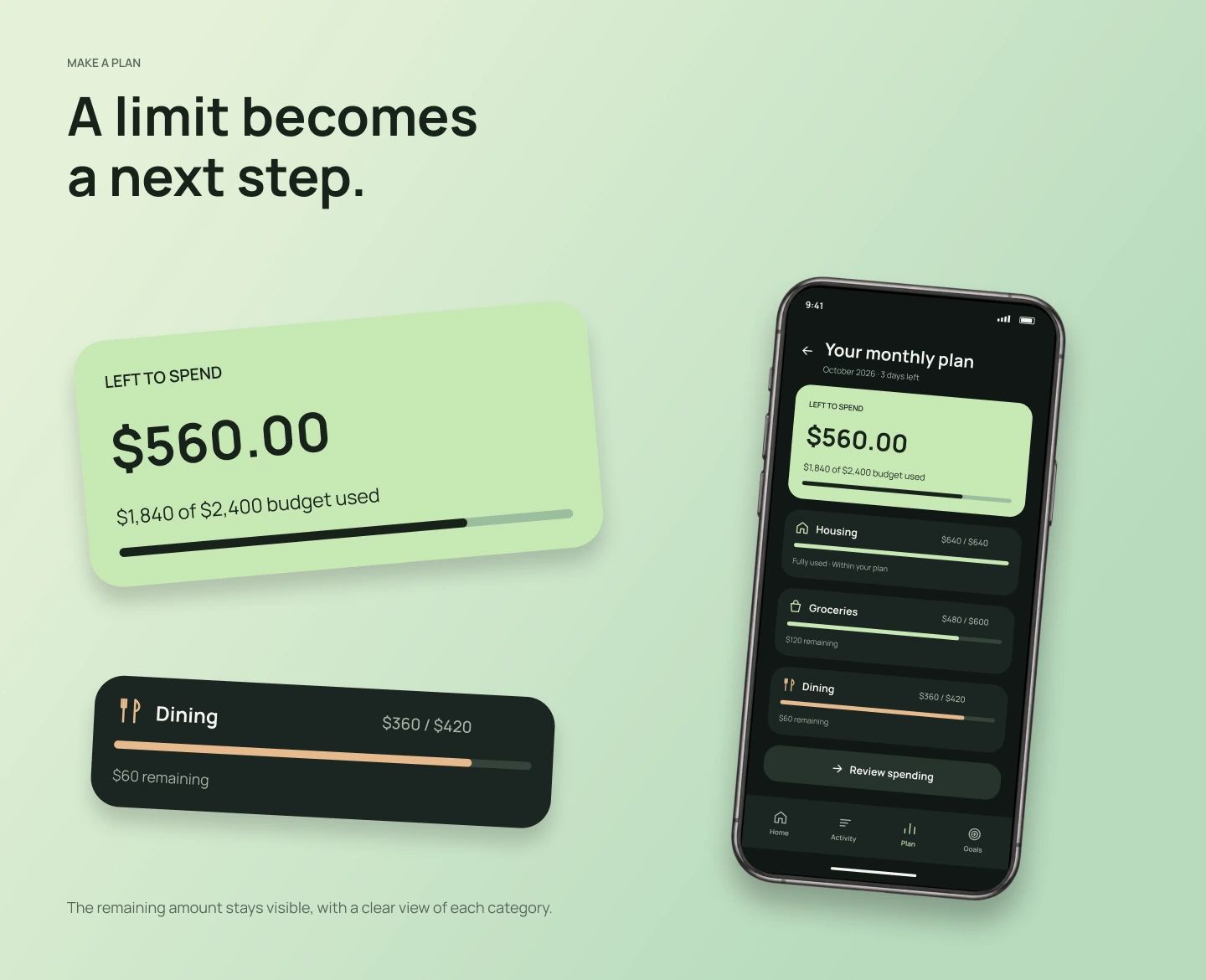
Monthly budget showing $560 remaining out of a $2,400 plan, plus the $360 of $420 dining category.
View full-size — Make room for a plan

Progress and ownership

Savings progress and personal preferences give the experience a sense of direction and control.
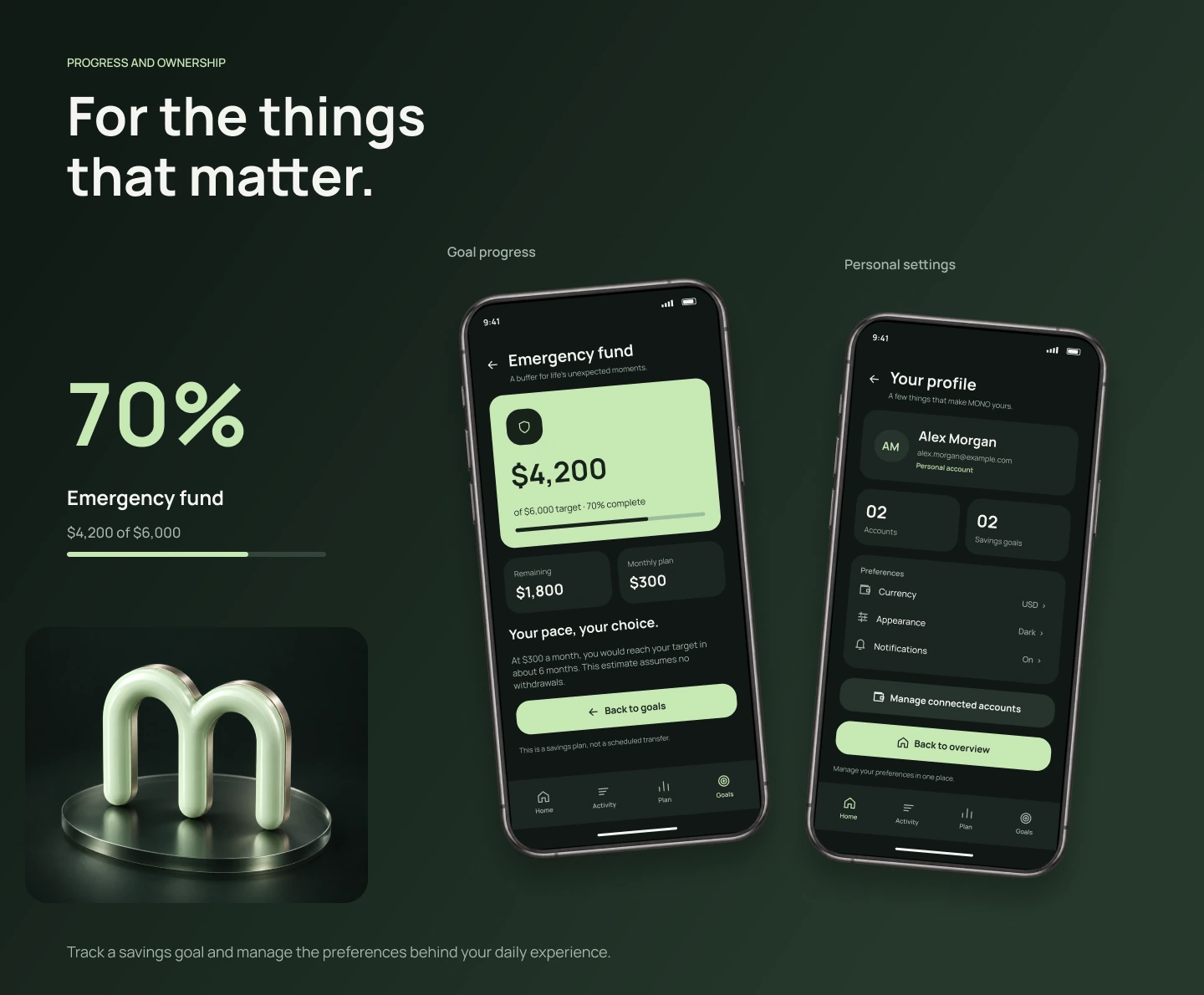
Emergency fund at 70 percent with $4,200 of a $6,000 goal, alongside profile and preference screens.
View full-size — Progress and ownership

An explanation with a source

Contextual AI summaries show the comparison and keep source transactions within reach.
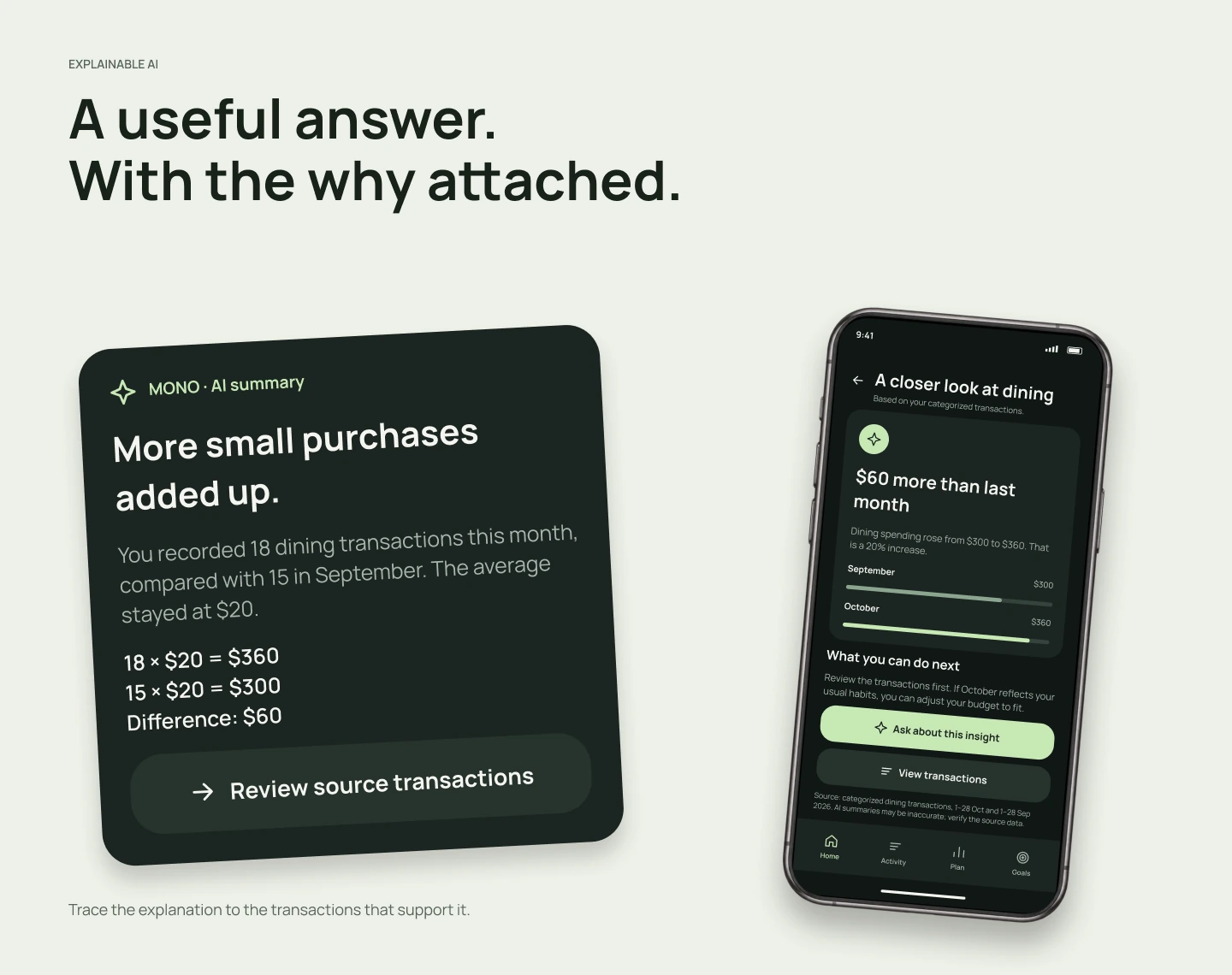
AI explanation comparing $360 in dining with $300 previously, showing a $60 or 20 percent increase and a route to source activity.
View full-size — An explanation with a source

Care between the main flows

Expense entry, empty activity and connection recovery receive the same attention as the overview.
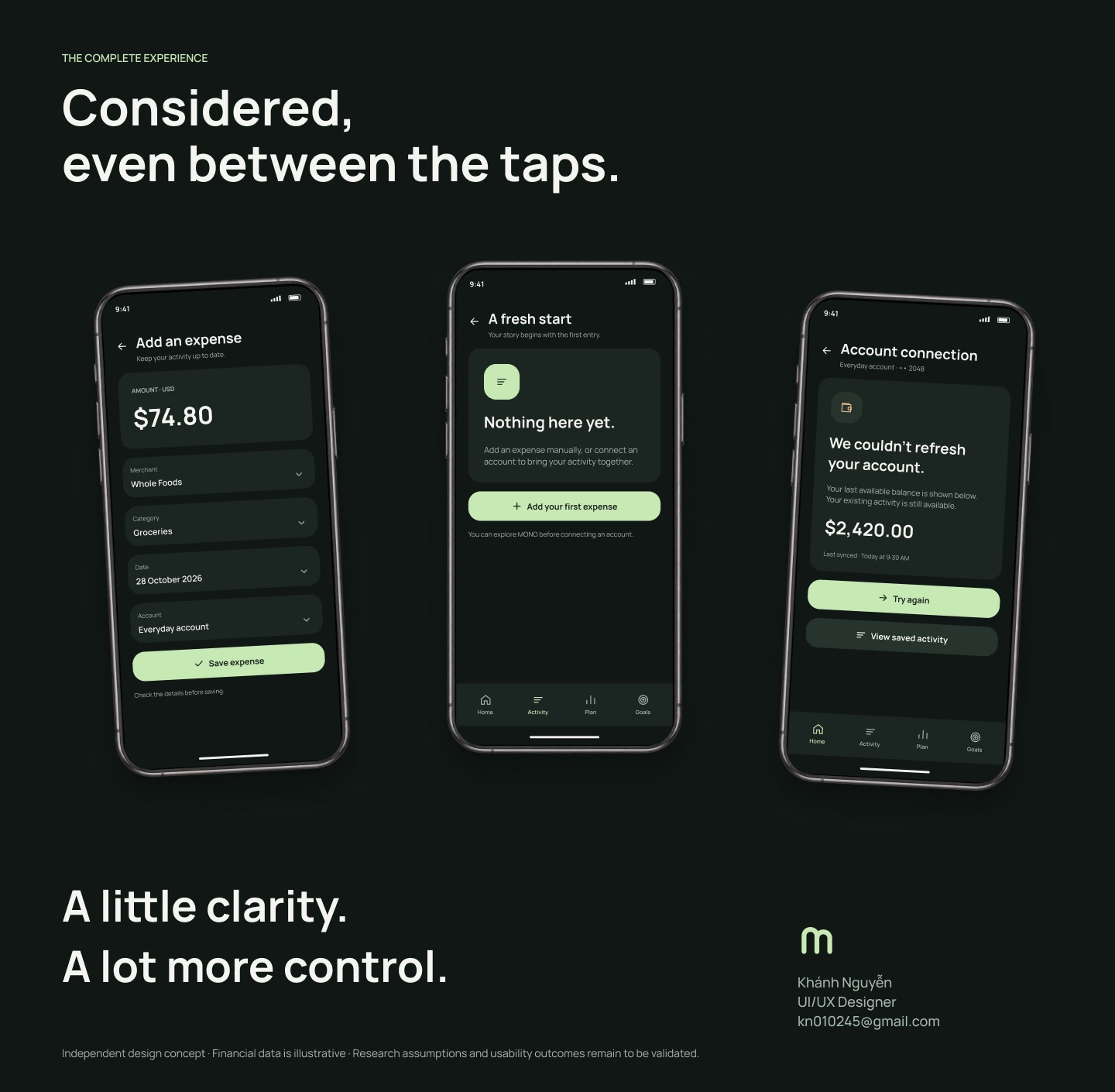
Expense entry, an empty activity state and a recoverable account sync error, followed by designer credits.
View full-size — Care between the main flows
Back to selected work Discuss a project